# Water Tank 4.1 (WT 4.1)

Add WT41 Image
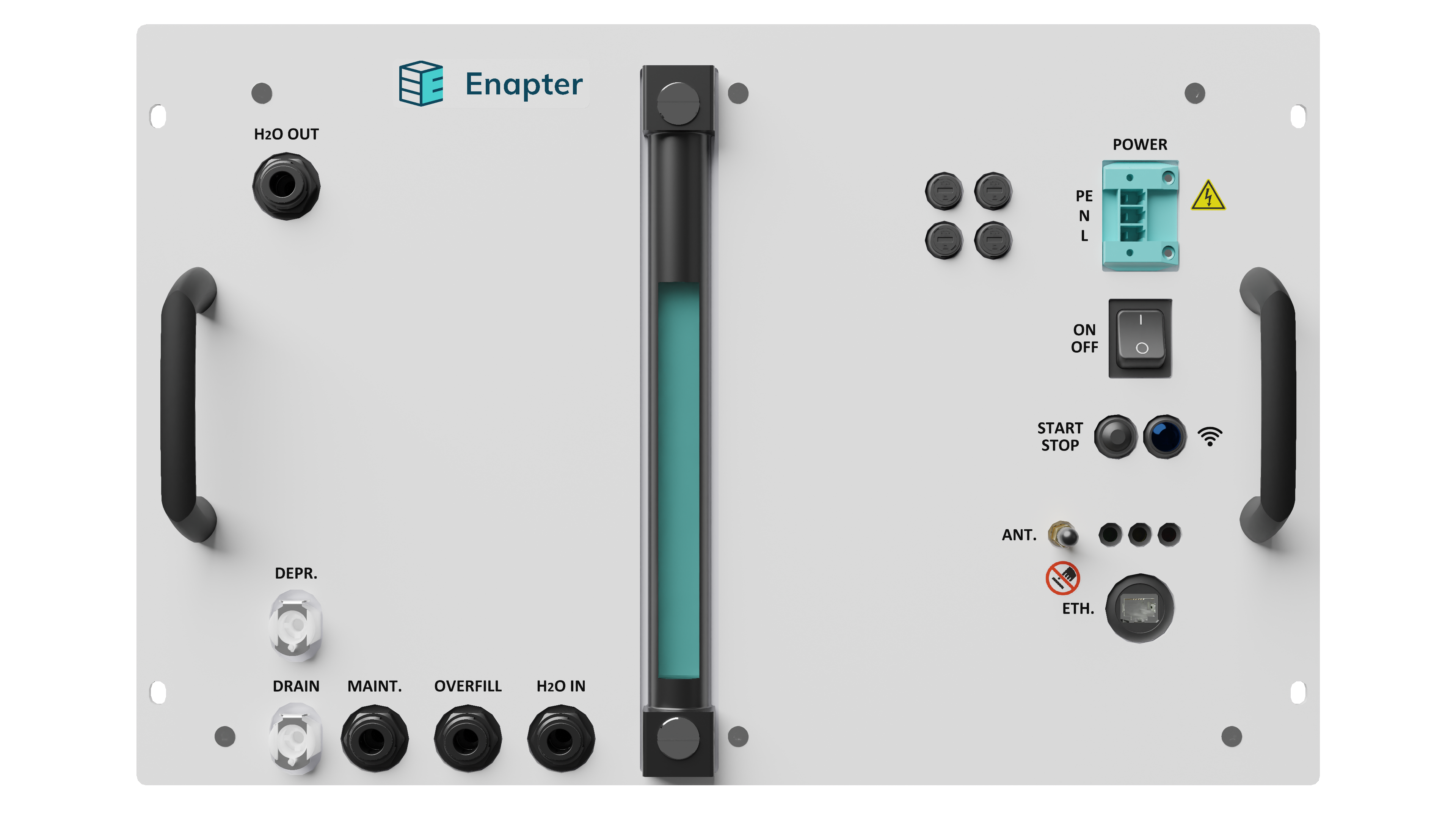
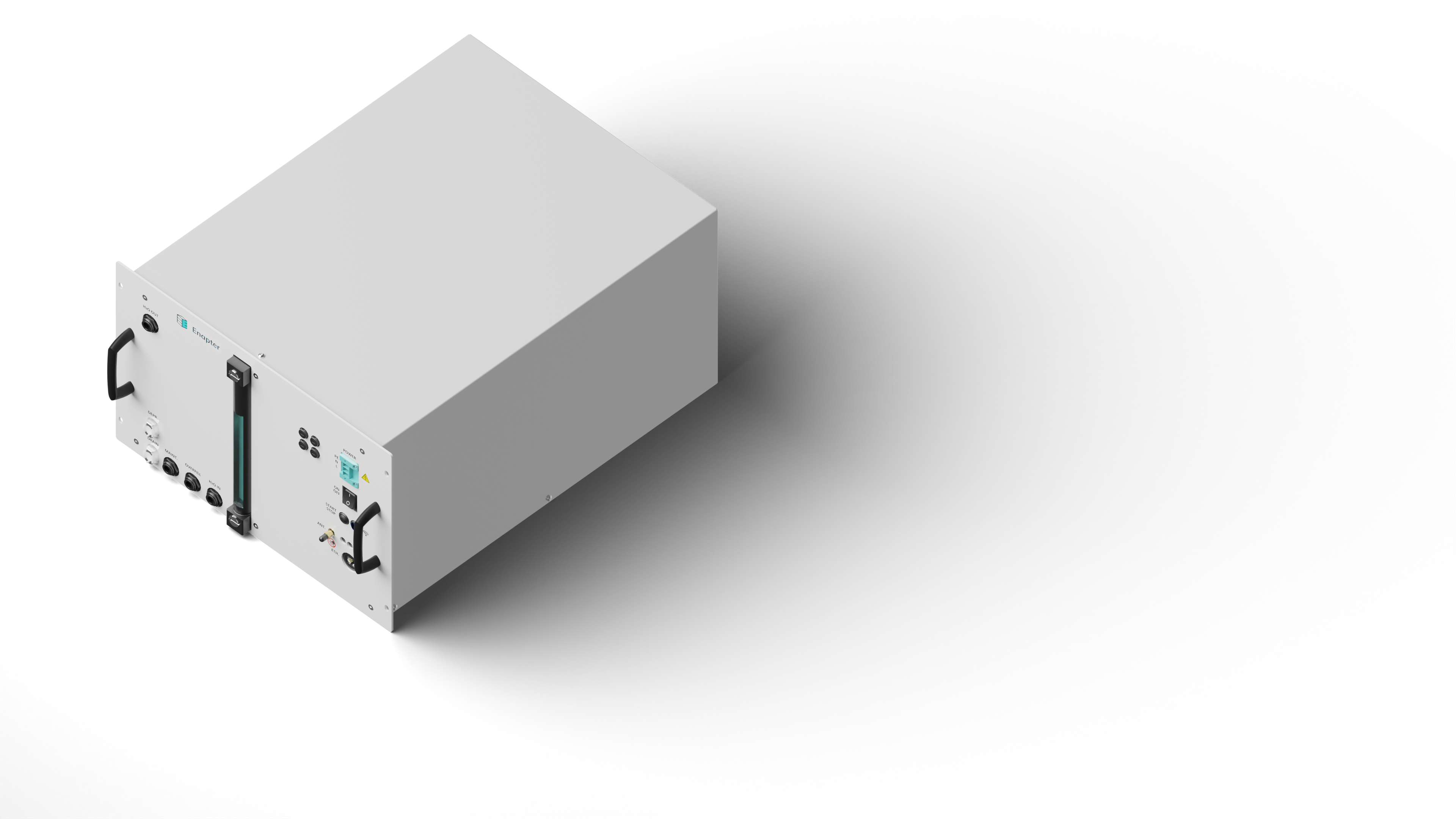
Enapter’s Water Tank 4.1 provides storage for 28.5 liters of clean water for the AEM electrolyser. The water tank is rack mountable into a standard 19” cabinet. The tank contains a conductivity sensor and a pump system to supply up to 12 AEM electrolysers with clean water.
# 📖 Resources
| WT 4.1 | |
|---|---|
| Owner's Manual | EN |
| Quick Start Guide | EN |
| Datasheet | EN |
| Battery Limits | EN |
| Certification | CE(EN) / CE (DE) |
| Dimensions |
# 📸 Images
| CAD Drawings | Front | Isometric | |
|---|---|---|---|
| WT 4.1 | 3D STP | Download | Download |
# 🔌 Communication Interface: Modbus TCP
In case you want to monitor and manage your device with the Modbus TCP interface check out the latest registers map guide and use cases:
Warning
Modbus TCP works over an insecure connection and was designed for usage in isolated Local Area Networks for Operation, Administration and Management. Please take into account that connection to public networks such as the Internet is not recommended for security reasons.
# 🕸️ Communication Interface: Dryer Control Network
The Dryer Control Network (DCN) function is Smart Control for Dryer and Water Tank (optional) using M2M (opens new window) communication between Electrolysers, Dryer and Water Tank via a wireless MESH network. This type of control allows to lower down energy consumption, reduce the possibility of operating errors and increase the safety.
For more information please check the Dryer Control Network Documentation (opens new window).
# 🚦 Status Indications
# LEDs Indications
| Action | Description | LED |
|---|---|---|
| Power on | The device will turn on as soon as the required input voltage is supplied to the WT 4.1; then, it performs a start-up self-check. | Red, yellow & green blink three times |
| Button press | When the start-stop button is pressed. | Red, yellow & green blink once |
| First Tank Refilling | At the first refilling, the machine will cross the very low water level, low water level, and waiting for water warnings before reaching optimal operating conditions. | First yellow, then green blinking |
| Feeding | The device is ready to refill downstream devices: the pump is ON and the solenoid valve is closed. | Green blinks |
| Refilling | The solenoid valve is open for tank refilling. | Green steady |
| Warning | The system will partially continue to work. The warning can be reported using remote monitoring and resolved automatically by the system. The heads-up event which should be taken into account to avoid Error or Fatal Error. | Yellow blinks |
| Error | The system stops. Remote monitoring will report Errors. These can be resolved by the system or by contacting the Enapter Support. | Red blinks slow |
| Fatal Error | The system stops. Unrecoverable error: hardware repair is required. | Red blinks fast |
# Logic States
| NAME | DESCRIPTION |
|---|---|
| N/A | Not active |
| Stop | Water Tank is stopped |
| Maintenance | The device is in maintenance mode (can only be enabled by Enapter technicians) |
| Bad quality water input | The inlet water quality is not respecting the specification |
| Waiting for water | The device is waiting to receive the optimal amount of water |
| High water inlet temperature | The water inlet temperature is too high |
| Low water inlet temperature | The water inlet temperature is too low |
| Very low water level | The water volume is too low to guarantee water to the electrolysers |
| Low water level | The device is waiting to receive the minimal amount of water |
| Very high water level (warning) | The water volume is high. The device will monitor if any internal malfunctioning is going on |
| Low water tank temperature | The tank water temperature is low. Please run the device according to the specifications |
| Very high water level (fatal error) | The water volume is too high |
| Tank refilling issue | The refilling was not completed in the allotted time. Please check the water source flow rate matches the specs required by the device |
| Tank temperature sensor broken | Please contact Enapter Customer Support. Tank temperature out of limits |
| Inlet temperature sensor broken | Please contact Enapter Customer Support. Inlet temperature out of limits |
| Water level sensor broken | Please contact Enapter Customer Support. Water level out of limits |
| Current sensor broken | Please contact Enapter Customer Support. Current out of limits |
| Water leak | Water is present in the chassis |
| Valve leak | The valve in the water inlet line is leaking |
| Pump broken | Please contact Enapter Customer Support. Pump current consumption out of limits |
| Factory settings reset failed | Factory Settings Reset failed for some reason |
| Internal error | Internal error |
# 📈 Remote Monitoring and Control
# Introduction
Water Tank 4.1 comes with pre-installed UCM (Universal Communication Module) that allows users to monitor the device. Over-the-air updates ensure that the latest protocols and security fixes are supported.
Pre-installed UCM connects to the Enapter Gateway and sends performance and error data to the Enapter Cloud. The data is stored in a time series database which displays it in real-time on customizable dashboards.
Enapter’s mobile application ensures quick and easy installation of any energy system. Users can manage the Water Tank 4.1 via the mobile app and will receive push notifications to warn of energy system issues.
# Network Requirements
# Wi-Fi Requirements
802.11a/b/g/n (2.4 GHz only)
802.12 WEP, WPA, WPA2 Personal (Pre-shared key)
Wi-Fi client isolation must be disabled
Note
No captive portal or WPA2 Enterprise supported.
General Wi-Fi Note
The Enapter Cloud connection is based on wireless communication and therefore the functionality can be affected by distance between devices, obstructions between the devices, and interference. Communication module inside the Water Tank 4.1 works in station mode and utilizes Wi-Fi channel set in your infrastructure Wi-Fi router for your SSID. You are responsible for selecting the correct channel according to the local radio regulations.
# TCP/IP Network Requirements
| Port | Protocol | Destination Host (IP-Address / Range or Name) |
|---|---|---|
| 80 | TCP | 193.9.249.0/24, 95.168.174.108, 95.168.174.212, 95.168.174.213 (api.enapter.com) |
| 443 | TCP | 193.9.249.0/24, 95.168.174.108, 95.168.174.212, 95.168.174.213 (api.enapter.com) |
| 123 | UDP | 193.9.249.0/24, 95.168.174.108, 95.168.174.212, 95.168.174.213 (ntp.enapter.com) |
| 8883 | TCP | 193.9.249.0/24, 95.168.174.108, 95.168.174.212, 95.168.174.213 (mqtt.enapter.com) |
| 1883 | TCP | 193.9.249.0/24, 95.168.174.108, 95.168.174.212, 95.168.174.213 (mqtt.enapter.com) |
Note
Firewall must be stateful.
# Connecting your Water Tank 4.1 to Wi-Fi
To connect the Water Tank 4.1 to wireless networks, follow the steps in the iOS or Android Mobile Application guides below. Please note, the QR-code or preinstalled UCM’s ID and PIN are required when connecting to Wi-Fi as well as credentials for the 2.4 GHz Wi-Fi network.
# ⚠️ Events
# Severity Levels
| Code | Severity Level | LED Indication | Description | Comment |
|---|---|---|---|---|
| F | Fatal Error | Red blinks fast | System stopped. Unrecoverable error. Hardware repair required. | e.g. Level sensor is not connected or broken. |
| E | Error | Red blinks slow | System Stopped. Recoverable error. | e.g. No input water pressure and internal water tank is empty. |
| W | Warning | Yellow blinks | Heads-up event which should be taken into account to avoid Error or Fatal Error. | e.g. No input water pressure and internal water tank is full. |
# Routines
| Code | Routine | Comment |
|---|---|---|
| L | Logic | |
| S | Safety |
# Warning, Error and Fatal Error Codes
Note
The Code and Name marked in bold are introduced in the current release of firmware.
| Name | Severity Code | Routine Code | Component | Condition | Display Name | Description |
|---|---|---|---|---|---|---|
| WL_1 | W | L | CT1 | Conductivity > 2µS | Poor Input Water Quality | Water conductivity exceeds the acceptable limit (µS). |
| WL_2 | W | L | LT1 | Liters <= 6.9L | Low Water Level | Water level is below 6.9L. |
| WL_3 | W | L | LT1 | 6.9L < Liters <= 17.3L | Waiting for Water | Water level is above 6.9L but below 17.3L. |
| WS_1 | W | S | TT2 | Temperature > 45 °С | High Inlet Water Temperature | Inlet water temperature is above the configured maximum. |
| WS_2 | W | S | TT2 | Temperature < 1 °С | Low Inlet Water Temperature | Inlet water temperature is below the configured minimum. |
| WS_3 | W | S | LSL1 | Water level below level switch | Very Low Water Level | Water level is below the level switch. |
| WS_4 | W | S | LSH1 | Water level over the level switch | Very High Water Level | Water level is above the level switch. |
| ES_1 | E | S | TT1 | Temperature < 1 °С | Low Tank Water Temperature | Tank water temperature is below the minimum. |
| FL_1 | F | L | W-CV-1 | Refilling timeout | Tank Refilling Issue | Refilling process timed out. |
| FL_2 | F | L | -- | Button start/stop is not released for the allocated time | Virtual Reset Failed | Error in the algorithm for transition to virtual reset. |
| FS_1 | F | S | YE1 | Water sensor is wet | Water Leak | Water leak detected by sensor. |
| FS_2 | F | S | TT1 | Resistance at the TT1 < 922 Ω (−20 °C) or > 1500 Ω (+130 °C) | Tank Temperature Sensor Fault | Tank temperature sensor malfunction. |
| FS_3 | F | S | TT2 | Voltage at the TT2 < 922 Ω (−20 °C) or > 1500 Ω (+130 °C) | Inlet Temperature Sensor Fault | Inlet water temperature sensor malfunction. |
| FS_4 | F | S | LT1 | Low voltage on the LT1 when the water level is higher than the LSL1 sensor | Water Level Sensor Fault | Water level sensor malfunction. |
| FS_6 | F | S | IT1 | Current consumption > 1.5 A | Pump Fault | Pump malfunction detected. |
| FS_7 | F | S | LSH1 | Water level over the level switch | Very High Water Level | Water level is above the level switch. |
| FS_9 | F | S | TAH3 | NTC temperature sensor detects high PCB temperature | High Electronics Temperature | Internal board sensor indicates temperature above the configured maximum. |
| FS_10 | F | S | -- | Error caused by an internal electronic schematic issue, MCU intercommunication failure, short circuit, or similar fault | Internal Error | Internal peripheral error detected. |
# ⚙️ Operation Functions
# Wi-Fi Button
Using this button you can switch the UCM OFF/ON.
This can be needed if:
- You do not want to use connection to Enapter Cloud (opens new window).
- You want to protect Water Tank from remote activation when maintenance is in progress.
Warning
Be sure that UCM switched ON while you enabling or removing Dryer Control Network (opens new window).
# Factory Settings Reset
Factory Settings Reset (Hard Reset) allows you to reset the device to factory settings.
To enable Factory Settings Reset:
- Turn off the device.
- Press and hold the
Start/Stopbutton and turn on the device. - Hold the button. LEDs start blinking one after another.
- Release the button. All LEDs will blink once.
- Factory Settings Reset started. Device will be automatically rebooted. All LEDs blink three times.
# Video Guide
Watch our video tutorial on performing a Factory Settings Reset. Follow easy steps to restore your device to original settings. For more details, click Show more.
Show more
Add Video Guide
# 💻 Firmware
# Firmware 2.0.0
# How to Update the Firmware?
Note
If the Site has the Enapter Gateway, it needs to be updated to version 1.8.9 or higher.
Note
Make sure you have physical access to the device before starting the update process.
Warning
Do not power off the device during the firmware update.
Warning
Remove Dryer Control Network before updating the firmware.
To update the firmware, the Water Tank must be connected to the Enapter Cloud (opens new window). To do this, see this chapter.
# Updating the Firmware Using Enapter Cloud
- Login into Enapter Cloud (opens new window).
- Open your Site and navigate to the Water Tank’s page you want to update.
- At the left sidebar click on the
Update Firmwarebutton at theFirmware Infosection. - In opened window click on the
Check for updatesbutton. - If you have the latest firmware version you will see
You have the latest version. - If update is available you will see
Change Log. - Click the
Updatebutton to update the firmware. - Wait until the update is complete. This can take a while.
# Updating the Firmware Using Enapter Mobile App
- Login into Enapter Mobile App.
- Open your Site and navigate to Water Tank’s page you want to update.
- Navigate to the
Abouttab (ℹ️) and click on theFirmwarebutton. - In opened tab click on the
Check for Updatesbutton. - If you have the latest firmware version you will see
You have the latest version. - If update is available you will see
Change Log. - Click the
Updatebutton to update the firmware. - Wait until the update is complete. This can take a while.
# Updating the Firmware Using Electrolyser Web GUI
For more information please check Enapter Web GUI Documentation (opens new window).
Was this page useful?